


30 Mar 2026
Virtual vs. Physical Debit Cards: Which One Is Better for Travel and Everyday Payments?
Virtual vs. Physical Debit Cards: Which One Is Better for Travel and Everyday Payments?
In 2026, the question is no longer whether you need a card, but which form of that card actually fits your lifestyle. As digital wallets become the global standard, the line between "plastic" and "digital" is blurring. If you’re preparing for a trip or just managing your daily expenses, choosing between a virtual and a physical card isn't just about convenience-it’s about security and cost-efficiency.
At Credits.com, we offer both. Here is the breakdown of how to use them to your advantage.
The Virtual Card: The King of Security and Speed
A virtual card exists only inside your Credits App. It has its own 16-digit number, CVV, and expiry date, but you’ll never find it at the bottom of your bag.
Why It Wins for Online Shopping and Travel:
Instant Issuance: You don’t have to wait 7-10 business days for the mail. You can generate a virtual Credits card in seconds and link it to Apple Pay or Google Pay immediately.
Disposable Security: Planning to buy a train ticket on a random foreign website? Use a virtual card. If the site looks sketchy, you can "freeze" or delete the card right after the purchase without affecting your main account.
Zero Physical Risk: A virtual card cannot be skimmed at an ATM or stolen from your pocket in a crowded tourist spot.
The Downside:
The "Battery" Problem: If your phone dies, your card "dies" with it.
Merchant Limitations: Some older boutique hotels or car rental agencies still insist on seeing a physical piece of plastic to verify your identity.
The Physical Card: The Reliable Backup
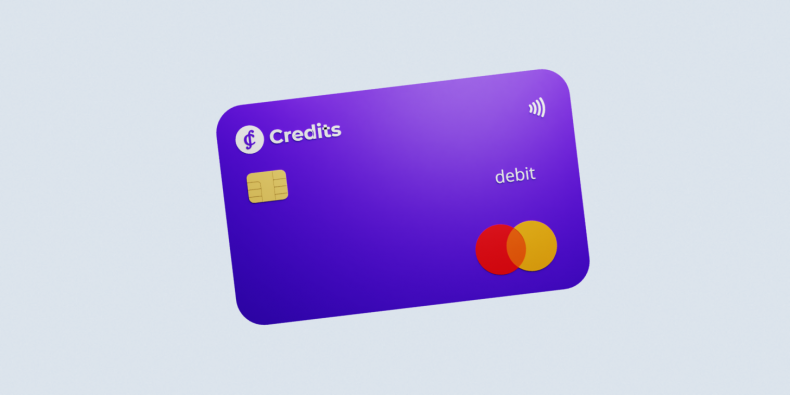
The physical Credits Mastercard is your "boots-on-the-ground" tool. It’s the card you carry when you know you’re heading into unpredictable territory.
Why It Wins for Everyday Life and Off-the-Beaten-Path Travel:
ATM Access: While many ATMs now support contactless (NFC) withdrawals, many still require you to insert a physical card. If you need cash in a small village or a local market, plastic is mandatory.
Reliability: It doesn't need a battery or a data connection. It works even when your phone is dead or roaming is toggled off.
The "Premium" Feel: For users on the Credits Premium Plan, the physical card is a tangible symbol of your 50% discount on fees and higher spending limits.
The Downside:
Loss and Theft: If you lose it, you have to wait for a replacement.
Skimming: Physical cards are still susceptible to magnetic stripe or chip-reader cloning at compromised terminals.
The Hybrid Strategy: How to Use Both with Credits.com
The smartest users don't choose one-they use both to create a "financial firewall."
Keep the Physical Card for Emergencies: Carry it in your wallet, but keep it "Frozen" in the Credits App. Only unfreeze it when you’re standing in front of an ATM.
Use Virtual for Everything Else: Link your virtual card to your phone. Use it for your daily coffee, your Netflix subscription, and your flights. Since the virtual card is linked to your 20+ Multi-Currency accounts, it will automatically pull from your EUR, USD, or GBP balance depending on where you are.
The Multi-Currency Advantage: Whether virtual or physical, both cards draw from the same Credits Wallet. You can swap your funds to the local currency in the app before you pay, ensuring you never get hit with a "Foreign Transaction Fee."
Which One Is For You?
Choose Virtual if you live in a tech-forward city, shop primarily online, and want maximum security with zero wait time.
Choose Physical if you travel to countries where "Cash is King," or if you want the peace of mind that a dead phone battery won't leave you stranded at a restaurant.
In 2026, the best setup is a Credits Virtual Card for your daily digital life and a Credits Physical Mastercard as your ultimate travel backup. Why settle for one when you can manage both from a single app with the lowest exchange rates in the industry?